
Decoding the CAD Drawing From a Measured Building Survey
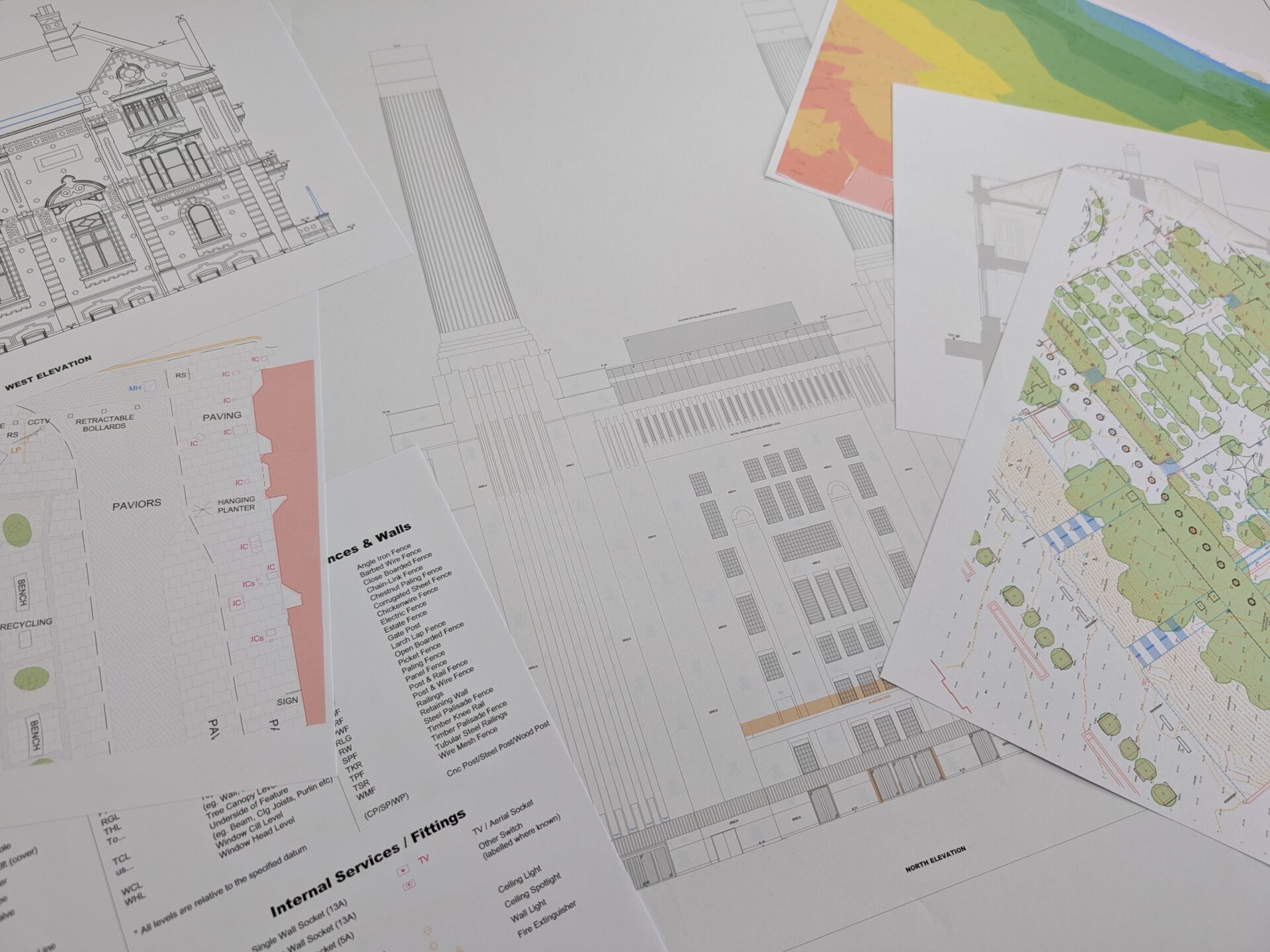
You’ve commissioned a measured building survey. A few weeks later, a set of CAD drawings lands in your inbox. Floor plans, elevations, cross-sections – pages of detailed linework, annotations, and reference numbers.
If you’re an architect or engineer, you know exactly what you’re looking at. If you’re a property owner, developer, or project manager, it can feel like reading a technical manual in a language you half understand.
The good news is you don’t need a surveying qualification to get value from these drawings.
You do need to know what each one shows, what to look for, and how to flag anything that might impact on later design work. Read on for a breakdown of the key drawing types and what they tell you.
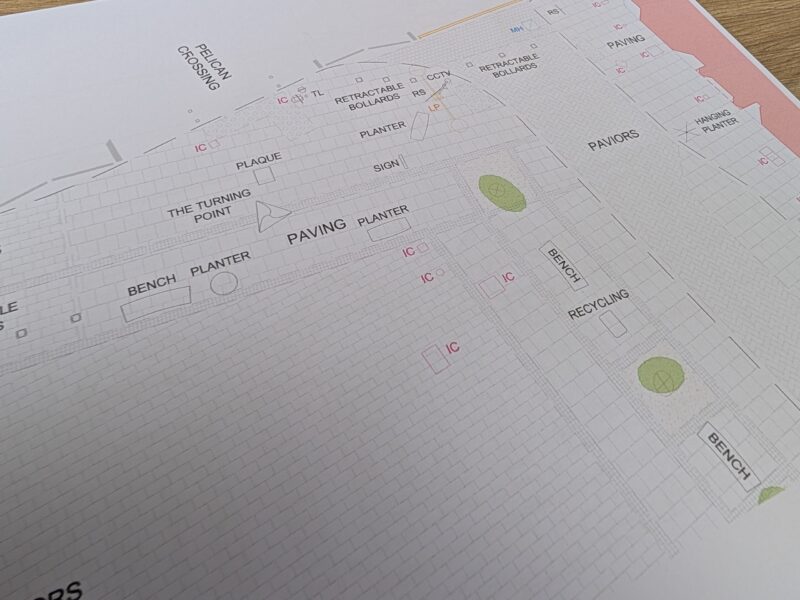
Floor Plans
A floor plan is a bird’s-eye view of each floor of a building – showing the layout of the rooms, doorways, windows, beams, and all visible structural features at a given level.
In a measured building survey, these are drawn from precise scan data, not estimated or traced from old plans.
Each floor gets its own plan. On a multi-storey building, the relationship between floors is shown using control points – fixed reference positions that allow the drawings to be overlaid accurately. Your design team will use these to check how features on one level line up with those above and below.
Key details to look for on a floor plan:
- Room layouts and floor areas
- Wall thicknesses and positions (including internal partitions)
- Door and window openings, including swing directions
- Staircase locations and step positions
- Location of services and utilities
- Levels (floor, ceiling, openings), noted as relative heights from a datum point
If you’re planning a refurbishment, extension, or change of use, the floor plan is the drawing your architect will spend the most time with. Accuracy here prevents clashes and costly redesigns once construction starts.
Elevations
Elevations show the external faces of the building as flat, front-on views – as if you were standing directly opposite each wall and looking straight at it. They record architectural details such as windows, doors, rooflines, string courses, and variations in materials or finishes.
For heritage and listed buildings, elevations become especially important. Conservation officers and planning authorities need to see existing features in detail before approving alterations, and a thorough elevation drawing provides that evidence.
Internal elevations – showing the inside face of individual walls – are less common in standard surveys but can be included when interior designers or fit-out teams need precise records of socket positions, joinery, or decorative features. These form the blank canvas for their subsequent designs.
Cross-Sections
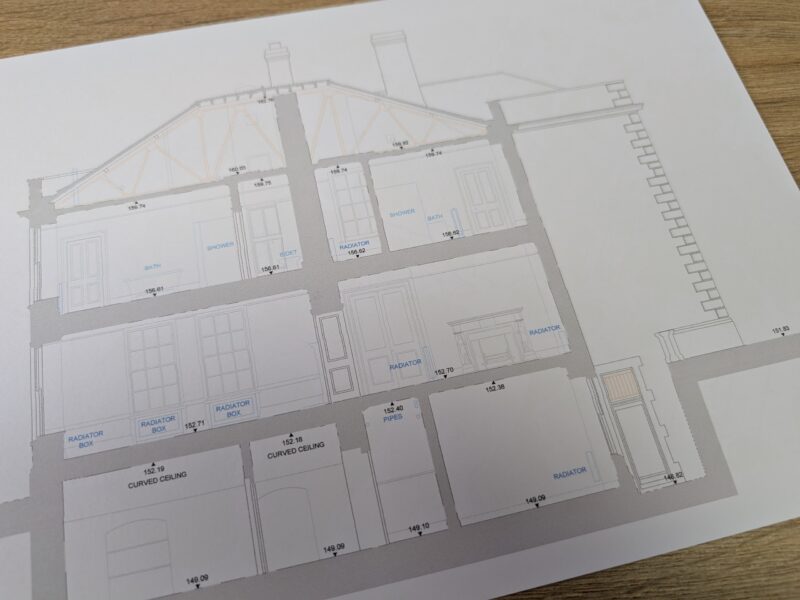
A cross-section slices through the building vertically, revealing the internal structure. It reveals the relationship between floors, changes in level between rooms, roof pitch and structure.
Sections are particularly valuable when:
- Ceiling heights vary throughout the building
- There are changes in floor level (common in older properties)
- The roof structure needs recording for loft conversions or structural alterations
- Services need routing between floors
If a floor plan tells you where everything sits horizontally, a section tells you what’s happening vertically. Together, they give a design team a complete three-dimensional understanding of the building.
Title Blocks, Scales, and Reference Information

Every CAD drawing includes a title block that contains the project name, drawing number, date, scale, surveyor details, survey datum and control, and other relevant notes.
It’s easy to skip over, but worth checking. The scale bar, in particular, confirms that the drawing is dimensionally correct when printed or viewed digitally. If someone prints an A1 drawing at A3 for convenience, the scale bar ensures measurements can still be verified.
Notes within the title block or on the drawing itself will also confirm the survey’s datum – usually related to Ordnance Survey – thereby accurately positioning the building within its wider geographical context.
Getting the Most From Your Drawings

CAD drawings from measured building surveyors are working documents. They’re built to be loaded into design software, layered with new proposals, and used as the foundation for planning applications, tender packages, and construction drawings. You’ll also receive the survey drawings in PDF format, meaning that you don’t have to have specialist software in order to view the information.
If anything looks unclear or incomplete, raise it early. A reputable surveyor will walk you through the drawings and address queries before your design team starts building on top of the data.
At LDS, we deliver all measured building survey data in CAD format, compatible with the software your architects and engineers are already using.
Every drawing is produced to a clear specification, tied to the OS datum and grid where required, and checked before it leaves our office. Contact us to discuss your project or request a quote.